Solusi
Solusi
Semua
Semua
Pekerjaan
Pekerjaan
Terhubung Mudah dan Aman ke Semua Perangkat, di mana saja, kapan saja
Tersedia untuk:


Kemudahannya
Kemudahannya
Semua Fitur dari Perangkat Lunak Desktop Jarak Jauh DeskIn
All Features of DeskIn
All Features of DeskIn
Koneksi Jarak Jauh
Koneksi & Kontrol Jarak Jauh Lintas Platform Tanpa Batas

Koneksi Windows
*Windows Sambungkan/Kendalikan Windows
*Windows Connect/Kontrol macOS
*Windows Connect/Kontrol Android
*Windows Connect iOS


Koneksi iOS
*iOS Connect/Control Windows
*iOS Hub/Kontrol macOS
*iOS Hub/Kontrol Android
*iOS Hub iOS

Koneksi macOS
*macOS Koneksi / Kontrol Windows
*macOS Sambungkan/Kendalikan macOS
*macOS Sambungkan/Kendalikan Android
*macOS Hub iOS

Koneksi Web
*Web Koneksi/Kontrol Windows
*Web Koneksi/Kontrol macOS
*Web Koneksi/Kontrol Android
*Web Connect iOS

Koneksi Android
*Android Sambungkan/Kendalikan Windows
*Android Hub/Kontrol macOS
*Menghubungkan/Mengelola Android
Android Sambungkan iOS

Koneksi Linux
Segera Hadir
Koneksi Windows
*Windows Sambungkan/Kendalikan Windows
*Windows Connect/Kontrol macOS
*Windows Connect/Kontrol Android
*Windows Connect iOS
Koneksi iOS
*iOS Connect/Control Windows
*iOS Hub/Kontrol macOS
*iOS Hub/Kontrol Android
*iOS Hub iOS
Koneksi macOS
*macOS Koneksi / Kontrol Windows
*macOS Sambungkan/Kendalikan macOS
*macOS Sambungkan/Kendalikan Android
*macOS Hub iOS
Koneksi Web
*Web Koneksi/Kontrol Windows
*Web Koneksi/Kontrol macOS
*Web Koneksi/Kontrol Android
*Web Connect iOS
Koneksi Android
*Android Sambungkan/Kendalikan Windows
*Android Hub/Kontrol macOS
*Menghubungkan/Mengelola Android
Android Sambungkan iOS
Koneksi Linux
Segera Hadir
Koneksi Windows
*Windows Sambungkan/Kendalikan Windows
*Windows Connect/Kontrol macOS
*Windows Connect/Kontrol Android
*Windows Connect iOS
Koneksi iOS
*iOS Connect/Control Windows
*iOS Hub/Kontrol macOS
*iOS Hub/Kontrol Android
*iOS Hub iOS
Koneksi macOS
*macOS Koneksi / Kontrol Windows
*macOS Sambungkan/Kendalikan macOS
*macOS Sambungkan/Kendalikan Android
*macOS Hub iOS
Koneksi Web
*Web Koneksi/Kontrol Windows
*Web Koneksi/Kontrol macOS
*Web Koneksi/Kontrol Android
*Web Connect iOS
Koneksi Android
*Android Sambungkan/Kendalikan Windows
*Android Hub/Kontrol macOS
*Menghubungkan/Mengelola Android
Android Sambungkan iOS
Koneksi Linux
Segera Hadir
Koneksi Linux
Segera Hadir
Koneksi Linux
Segera Hadir
Koneksi Android
*Android Sambungkan/Kendalikan Windows
*Android Hub/Kontrol macOS
*Menghubungkan/Mengelola Android
Android Sambungkan iOS
Koneksi Android
*Android Sambungkan/Kendalikan Windows
*Android Hub/Kontrol macOS
*Menghubungkan/Mengelola Android
Android Sambungkan iOS
Koneksi Web
*Web Koneksi/Kontrol Windows
*Web Koneksi/Kontrol macOS
*Web Koneksi/Kontrol Android
*Web Connect iOS
Koneksi Web
*Web Koneksi/Kontrol Windows
*Web Koneksi/Kontrol macOS
*Web Koneksi/Kontrol Android
*Web Connect iOS
Koneksi macOS
*macOS Koneksi / Kontrol Windows
*macOS Sambungkan/Kendalikan macOS
*macOS Sambungkan/Kendalikan Android
*macOS Hub iOS
Koneksi macOS
*macOS Koneksi / Kontrol Windows
*macOS Sambungkan/Kendalikan macOS
*macOS Sambungkan/Kendalikan Android
*macOS Hub iOS
Koneksi iOS
*iOS Menghubungkan/Mengontrol Windows
*iOS Hub/Kontrol macOS
*iOS Hub/Kontrol Android
*iOS Hub iOS
Koneksi iOS
*iOS Menghubungkan/Mengontrol Windows
*iOS Hub/Kontrol macOS
*iOS Hub/Kontrol Android
*iOS Hub iOS
Koneksi Windows
*Windows Sambungkan/Kendalikan Windows
*Windows Connect/Kontrol macOS
*Windows Connect/Kontrol Android
*Windows Connect iOS
Koneksi Windows
*Windows Sambungkan/Kendalikan Windows
*Windows Connect/Kontrol macOS
*Windows Connect/Kontrol Android
*Windows Connect iOS
Pengendalian Jarak Jauh
Fitur Lengkap, Kontrol Jarak Jauh Intuitif dan Mudah di Berbagai Perangkat

Manajemen File
*Transfer Berkas Komputer
Transfer file antara PC dan PC, PC dan Mac, Mac dan Mac.
*Transfer File Seluler
Transfer file antara Android dan iOS, Android dan Android.
*Transfer Berkas Komputer dan Seluler
Transfer file antara seluler dan PC, seluler dan Mac.
*Pencetakan Jarak Jauh
Cetak file dari komputer lokal Anda ke komputer jarak jauh dengan printer yang terpasang.

Manajemen Sistem
*Boot/Matikan Jarak Jauh
Mulai ulang atau matikan PC Windows atau Mac Anda dari jarak jauh dengan satu klik.
*Wake-on-LAN (WOL)
Bangunkan komputer Windows Anda dari jauh menggunakan ponsel, tablet, atau komputer lain.
*Terminal Jarak Jauh (CMD)
Akses antarmuka baris perintah PC atau Mac jarak jauh untuk menjalankan perintah dan skrip.
*Ctrl+Alt+Delete
Kirim perintah Ctrl+Alt+Del ke perangkat jarak jauh.

Manajemen Interaksi
*Kunci Layar
Kunci komputer jarak jauh hanya dengan satu klik.
*Aktifkan/Nonaktifkan Input Jarak Jauh
Aktifkan atau nonaktifkan izin input keyboard dan mouse jarak jauh.
*Pemetaan Keyboard/Maus
Terjemahkan masukan dari keyboard dan mouse lokal Anda ke dalam tindakan yang diharapkan oleh perangkat jarak jauh.
*Kunci Permainan Kustom
Kombinasi kunci khusus di perangkat seluler Anda dan peta ke perintah keyboard untuk bermain game desktop jarak jauh.

Manajemen Interaksi
*Tombol Pintas
Gunakan pintasan lokal untuk mengontrol komputer jarak jauh secara langsung.
*Papan Klip Bersama
Salin dan tempel teks serta file dengan lancar antara komputer lokal dan jarak jauh.
*Mode Sentuh/Mode Kursor
Beralih antara kontrol gerakan sentuh dan kontrol kursor yang tepat.
*Mouse Virtual
Aktifkan mouse virtual di layar ponsel Anda untuk mensimulasikan kontrol mouse desktop
Manajemen Interaksi
*Pengaturan Gestur
Sesuaikan gerakan touchpad untuk kontrol yang lebih intuitif.
*Kamera Jauh
Lihat umpan video dari kamera komputer jarak jauh di perangkat lokal Anda.
*Audio Jarak Jauh
Alir audio dari komputer jarak jauh ke perangkat lokal Anda.
*Pengaturan Keyboard/Mouse
Sesuaikan pemetaan tombol keyboard, sensitivitas mouse, dan mode gulir.
*Tampilkan Saja
Lihat layar jarak jauh secara real-time tanpa akses kontrol.

Manajemen Jaringan
*Pengaturan Pembatasan Bandwidth
Tentukan batas maksimum bandwidth untuk memastikan kualitas koneksi yang stabil dan lancar.
*Pengaturan Proxy
Sambungkan ke perangkat jarak jauh melalui server proxy untuk keamanan dan kontrol akses yang lebih baik.

Manajemen File
*Transfer Berkas Komputer
Transfer file antara PC dan PC, PC dan Mac, Mac dan Mac.
*Transfer File Seluler
Transfer file antara Android dan iOS, Android dan Android.
*Transfer Berkas Komputer dan Seluler
Transfer file antara seluler dan PC, seluler dan Mac.
*Pencetakan Jarak Jauh
Cetak file dari komputer lokal Anda ke komputer jarak jauh dengan printer yang terpasang.
Manajemen Sistem
*Boot/Matikan Jarak Jauh
Mulai ulang atau matikan PC Windows atau Mac Anda dari jarak jauh dengan satu klik.
*Wake-on-LAN (WOL)
Bangunkan komputer Windows Anda dari jauh menggunakan ponsel, tablet, atau komputer lain.
*Terminal Jarak Jauh (CMD)
Akses antarmuka baris perintah PC atau Mac jarak jauh untuk menjalankan perintah dan skrip.
*Ctrl+Alt+Delete
Kirim perintah Ctrl+Alt+Del ke perangkat jarak jauh.
Manajemen Interaksi
*Kunci Layar
Kunci komputer jarak jauh hanya dengan satu klik.
*Aktifkan/Nonaktifkan Input Jarak Jauh
Aktifkan atau nonaktifkan izin input keyboard dan mouse jarak jauh.
*Pemetaan Keyboard/Maus
Terjemahkan masukan dari keyboard dan mouse lokal Anda ke dalam tindakan yang diharapkan oleh perangkat jarak jauh.
*Kunci Permainan Kustom
Kombinasi kunci khusus di perangkat seluler Anda dan peta ke perintah keyboard untuk bermain game desktop jarak jauh.
Manajemen Interaksi
*Tombol Pintas
Gunakan pintasan lokal untuk mengontrol komputer jarak jauh secara langsung.
*Papan Klip Bersama
Salin dan tempel teks serta file dengan lancar antara komputer lokal dan jarak jauh.
*Mode Sentuh/Mode Kursor
Beralih antara kontrol gerakan sentuh dan kontrol kursor yang tepat.
*Mouse Virtual
Aktifkan mouse virtual di layar ponsel Anda untuk mensimulasikan kontrol mouse desktop
Manajemen Interaksi
*Pengaturan Gestur
Sesuaikan gerakan touchpad untuk kontrol yang lebih intuitif.
*Kamera Jauh
Lihat umpan video dari kamera komputer jarak jauh di perangkat lokal Anda.
*Audio Jarak Jauh
Alir audio dari komputer jarak jauh ke perangkat lokal Anda.
*Pengaturan Keyboard/Mouse
Sesuaikan pemetaan tombol keyboard, sensitivitas mouse, dan mode gulir.
*Tampilkan Saja
Lihat layar jarak jauh secara real-time tanpa akses kontrol.
Manajemen Jaringan
*Pengaturan Pembatasan Bandwidth
Tentukan batas maksimum bandwidth untuk memastikan kualitas koneksi yang stabil dan lancar.
*Pengaturan Proxy
Sambungkan ke perangkat jarak jauh melalui server proxy untuk keamanan dan kontrol akses yang lebih baik.
Manajemen File
*Transfer Berkas Komputer
Transfer file antara PC dan PC, PC dan Mac, Mac dan Mac.
*Transfer File Seluler
Transfer file antara Android dan iOS, Android dan Android.
*Transfer Berkas Komputer dan Seluler
Transfer file antara seluler dan PC, seluler dan Mac.
*Pencetakan Jarak Jauh
Cetak file dari komputer lokal Anda ke komputer jarak jauh dengan printer yang terpasang.
Manajemen Sistem
*Boot/Matikan Jarak Jauh
Mulai ulang atau matikan PC Windows atau Mac Anda dari jarak jauh dengan satu klik.
*Wake-on-LAN (WOL)
Bangunkan komputer Windows Anda dari jauh menggunakan ponsel, tablet, atau komputer lain.
*Terminal Jarak Jauh (CMD)
Akses antarmuka baris perintah PC atau Mac jarak jauh untuk menjalankan perintah dan skrip.
*Ctrl+Alt+Delete
Kirim perintah Ctrl+Alt+Del ke perangkat jarak jauh.
Manajemen Interaksi
*Kunci Layar
Kunci komputer jarak jauh hanya dengan satu klik.
*Aktifkan/Nonaktifkan Input Jarak Jauh
Aktifkan atau nonaktifkan izin input keyboard dan mouse jarak jauh.
*Pemetaan Keyboard/Maus
Terjemahkan masukan dari keyboard dan mouse lokal Anda ke dalam tindakan yang diharapkan oleh perangkat jarak jauh.
*Kunci Permainan Kustom
Kombinasi kunci khusus di perangkat seluler Anda dan peta ke perintah keyboard untuk bermain game desktop jarak jauh.
Manajemen Interaksi
*Tombol Pintas
Gunakan pintasan lokal untuk mengontrol komputer jarak jauh secara langsung.
*Papan Klip Bersama
Salin dan tempel teks serta file dengan lancar antara komputer lokal dan jarak jauh.
*Mode Sentuh/Mode Kursor
Beralih antara kontrol gerakan sentuh dan kontrol kursor yang tepat.
*Mouse Virtual
Aktifkan mouse virtual di layar ponsel Anda untuk mensimulasikan kontrol mouse desktop
Manajemen Interaksi
*Pengaturan Gestur
Sesuaikan gerakan touchpad untuk kontrol yang lebih intuitif.
*Kamera Jauh
Lihat umpan video dari kamera komputer jarak jauh di perangkat lokal Anda.
*Audio Jarak Jauh
Alir audio dari komputer jarak jauh ke perangkat lokal Anda.
*Pengaturan Keyboard/Mouse
Sesuaikan pemetaan tombol keyboard, sensitivitas mouse, dan mode gulir.
*Tampilkan Saja
Lihat layar jarak jauh secara real-time tanpa akses kontrol.
Manajemen Jaringan
*Pengaturan Pembatasan Bandwidth
Tentukan batas maksimum bandwidth untuk memastikan kualitas koneksi yang stabil dan lancar.
*Pengaturan Proxy
Sambungkan ke perangkat jarak jauh melalui server proxy untuk keamanan dan kontrol akses yang lebih baik.
Manajemen Interaksi
*Pengaturan Gestur
Sesuaikan gerakan touchpad untuk kontrol yang lebih intuitif.
*Kamera Jauh
Lihat umpan video dari kamera komputer jarak jauh di perangkat lokal Anda.
*Audio Jarak Jauh
Alir audio dari komputer jarak jauh ke perangkat lokal Anda.
*Pengaturan Keyboard/Mouse
Sesuaikan pemetaan tombol keyboard, sensitivitas mouse, dan mode gulir.
*Tampilkan Saja
Lihat layar jarak jauh secara real-time tanpa akses kontrol.
Manajemen Interaksi
*Pengaturan Gestur
Sesuaikan gerakan touchpad untuk kontrol yang lebih intuitif.
*Kamera Jauh
Lihat umpan video dari kamera komputer jarak jauh di perangkat lokal Anda.
*Audio Jarak Jauh
Alir audio dari komputer jarak jauh ke perangkat lokal Anda.
*Pengaturan Keyboard/Mouse
Sesuaikan pemetaan tombol keyboard, sensitivitas mouse, dan mode gulir.
*Tampilkan Saja
Lihat layar jarak jauh secara real-time tanpa akses kontrol.
Manajemen Interaksi
*Tombol Pintas
Gunakan pintasan lokal untuk mengontrol komputer jarak jauh secara langsung.
*Papan Klip Bersama
Salin dan tempel teks serta file dengan lancar antara komputer lokal dan jarak jauh.
*Mode Sentuh/Mode Kursor
Beralih antara kontrol gerakan sentuh dan kontrol kursor yang tepat.
*Mouse Virtual
Aktifkan mouse virtual di layar ponsel Anda untuk mensimulasikan kontrol mouse desktop
Manajemen Interaksi
*Tombol Pintas
Gunakan pintasan lokal untuk mengontrol komputer jarak jauh secara langsung.
*Papan Klip Bersama
Salin dan tempel teks serta file dengan lancar antara komputer lokal dan jarak jauh.
*Mode Sentuh/Mode Kursor
Beralih antara kontrol gerakan sentuh dan kontrol kursor yang tepat.
*Mouse Virtual
Aktifkan mouse virtual di layar ponsel Anda untuk mensimulasikan kontrol mouse desktop
Manajemen Interaksi
*Kunci Layar
Kunci komputer jarak jauh hanya dengan satu klik.
*Aktifkan/Nonaktifkan Input Jarak Jauh
Aktifkan atau nonaktifkan izin input keyboard dan mouse jarak jauh.
*Pemetaan Keyboard/Maus
Terjemahkan masukan dari keyboard dan mouse lokal Anda ke dalam tindakan yang diharapkan oleh perangkat jarak jauh.
*Kunci Permainan Kustom
Kombinasi kunci khusus di perangkat seluler Anda dan peta ke perintah keyboard untuk bermain game desktop jarak jauh.
Manajemen Interaksi
*Kunci Layar
Kunci komputer jarak jauh hanya dengan satu klik.
*Aktifkan/Nonaktifkan Input Jarak Jauh
Aktifkan atau nonaktifkan izin input keyboard dan mouse jarak jauh.
*Pemetaan Keyboard/Maus
Terjemahkan masukan dari keyboard dan mouse lokal Anda ke dalam tindakan yang diharapkan oleh perangkat jarak jauh.
*Kunci Permainan Kustom
Kombinasi kunci khusus di perangkat seluler Anda dan peta ke perintah keyboard untuk bermain game desktop jarak jauh.
Manajemen Jaringan
*Pengaturan Pembatasan Bandwidth
Tentukan batas maksimum bandwidth untuk memastikan kualitas koneksi yang stabil dan lancar.
*Pengaturan Proxy
Sambungkan ke perangkat jarak jauh melalui server proxy untuk keamanan dan kontrol akses yang lebih baik.
Manajemen Jaringan
*Pengaturan Pembatasan Bandwidth
Tentukan batas maksimum bandwidth untuk memastikan kualitas koneksi yang stabil dan lancar.
*Pengaturan Proxy
Sambungkan ke perangkat jarak jauh melalui server proxy untuk keamanan dan kontrol akses yang lebih baik.
Manajemen File
*Transfer Berkas Komputer
Transfer file antara PC dan PC, PC dan Mac, Mac dan Mac.
*Transfer File Seluler
Transfer file antara Android dan iOS, Android dan Android.
*Transfer Berkas Komputer dan Seluler
Transfer file antara seluler dan PC, seluler dan Mac.
*Pencetakan Jarak Jauh
Cetak file dari komputer lokal Anda ke komputer jarak jauh dengan printer yang terpasang.
Manajemen File
*Transfer Berkas Komputer
Transfer file antara PC dan PC, PC dan Mac, Mac dan Mac.
*Transfer File Seluler
Transfer file antara Android dan iOS, Android dan Android.
*Transfer Berkas Komputer dan Seluler
Transfer file antara seluler dan PC, seluler dan Mac.
*Pencetakan Jarak Jauh
Cetak file dari komputer lokal Anda ke komputer jarak jauh dengan printer yang terpasang.
Manajemen Sistem
*Boot/Matikan Jarak Jauh
Mulai ulang atau matikan PC Windows atau Mac Anda dari jarak jauh dengan satu klik.
*Wake-on-LAN (WOL)
Bangunkan komputer Windows Anda dari jauh menggunakan ponsel, tablet, atau komputer lain.
*Terminal Jarak Jauh (CMD)
Akses antarmuka baris perintah PC atau Mac jarak jauh untuk menjalankan perintah dan skrip.
*Ctrl+Alt+Delete
Kirim perintah Ctrl+Alt+Del ke perangkat jarak jauh.
Manajemen Sistem
*Boot/Matikan Jarak Jauh
Mulai ulang atau matikan PC Windows atau Mac Anda dari jarak jauh dengan satu klik.
*Wake-on-LAN (WOL)
Bangunkan komputer Windows Anda dari jauh menggunakan ponsel, tablet, atau komputer lain.
*Terminal Jarak Jauh (CMD)
Akses antarmuka baris perintah PC atau Mac jarak jauh untuk menjalankan perintah dan skrip.
*Ctrl+Alt+Delete
Kirim perintah Ctrl+Alt+Del ke perangkat jarak jauh.
Kolaborasi Jauh
Interaksi Waktu Nyata yang Mulus untuk Kolaborasi yang Efisien

Whiteboard Annotation
Draw and annotate directly on the screen to explain ideas clearly.


Multi-User Control
Multiple devices can simultaneously initiate remote sessions to jointly control a single remote device.

Panggilan Suara
Make real-time voice calls with the remote device for direct communication.

Control Multiple Devices
One device can simultaneously control multiple remote devices.

Chat
Send instant messages to the remote device during a remote session.
Whiteboard Annotation
Draw and annotate directly on the screen to explain ideas clearly.
Multi-User Control
Multiple devices can simultaneously initiate remote sessions to jointly control a single remote device.
Panggilan Suara
Make real-time voice calls with the remote device for direct communication.
Control Multiple Devices
One device can simultaneously control multiple remote devices.
Chat
Send instant messages to the remote device during a remote session.
Whiteboard Annotation
Draw and annotate directly on the screen to explain ideas clearly.
Multi-User Control
Multiple devices can simultaneously initiate remote sessions to jointly control a single remote device.
Panggilan Suara
Make real-time voice calls with the remote device for direct communication.
Control Multiple Devices
One device can simultaneously control multiple remote devices.
Chat
Send instant messages to the remote device during a remote session.
Multi-User Control
Multiple devices can simultaneously initiate remote sessions to jointly control a single remote device.
Multi-User Control
Multiple devices can simultaneously initiate remote sessions to jointly control a single remote device.
Control Multiple Devices
One device can simultaneously control multiple remote devices.
Control Multiple Devices
One device can simultaneously control multiple remote devices.
Panggilan Suara
Make real-time voice calls with the remote device for direct communication.
Panggilan Suara
Make real-time voice calls with the remote device for direct communication.
Whiteboard Annotation
Draw and annotate directly on the screen to explain ideas clearly.
Whiteboard Annotation
Draw and annotate directly on the screen to explain ideas clearly.
Chat
Send instant messages to the remote device during a remote session.
Chat
Send instant messages to the remote device during a remote session.
Security Management
Perlindungan Multi-Lapisan untuk Setiap Akses Jarak Jauh

Temporary Password
Use one-time passwords for temporary remote sessions.

Blacklist/Whitelist
Block unauthorized devices or allow only specific trusted devices to connect.

Custom Security Passwords
Set custom passwords for secure unattended access.

Security Verification Settings
Set up security measures before starting or ending a remote connection.

New Device Login Authentication
Receive and approve email authentication when logging into a new device.

Privacy Settings
Customize privacy and screen lock options to secure your remote sessions.

Temporary Password
Use one-time passwords for temporary remote sessions.
Blacklist/Whitelist
Block unauthorized devices or allow only specific trusted devices to connect.
Custom Security Passwords
Set custom passwords for secure unattended access.
Security Verification Settings
Set up security measures before starting or ending a remote connection.
New Device Login Authentication
Receive and approve email authentication when logging into a new device.
Privacy Settings
Customize privacy and screen lock options to secure your remote sessions.
Temporary Password
Use one-time passwords for temporary remote sessions.
Blacklist/Whitelist
Block unauthorized devices or allow only specific trusted devices to connect.
Custom Security Passwords
Set custom passwords for secure unattended access.
Security Verification Settings
Set up security measures before starting or ending a remote connection.
New Device Login Authentication
Receive and approve email authentication when logging into a new device.
Privacy Settings
Customize privacy and screen lock options to secure your remote sessions.
Privacy Settings
Customize privacy and screen lock options to secure your remote sessions.
Privacy Settings
Customize privacy and screen lock options to secure your remote sessions.
New Device Login Authentication
Receive and approve email authentication when logging into a new device.
New Device Login Authentication
Receive and approve email authentication when logging into a new device.
Security Verification Settings
Set up security measures before starting or ending a remote connection.
Security Verification Settings
Set up security measures before starting or ending a remote connection.
Custom Security Passwords
Set custom passwords for secure unattended access.
Custom Security Passwords
Set custom passwords for secure unattended access.
Blacklist/Whitelist
Block unauthorized devices or allow only specific trusted devices to connect.
Blacklist/Whitelist
Block unauthorized devices or allow only specific trusted devices to connect.
Temporary Password
Use one-time passwords for temporary remote sessions.
Temporary Password
Use one-time passwords for temporary remote sessions.
Screen Management
Flexible Screen Management, Expand Your Work Space to Improve Productivity

Screen Extension
Extend your PC or Mac screen wirelessly to other PC, Mac or mobile devices.

Virtual Extended Screen
Create up to 3 virtual desktops on the remote PC or Mac from your local device.

Screen Mirroring
Mirror your PC or Mac screen wirelessly to PC, Mac or mobile devices.

Multi-Screen Display
View and switch between all remote monitors on a single local screen.

Mobile Screen Projection
Wirelessly project your mobile or tablet screen to a PC or Mac.

Tampilan Privasi
Black out the remote computer screen and hide your input during the session.

Screen Extension
Extend your PC or Mac screen wirelessly to other PC, Mac or mobile devices.
Virtual Extended Screen
Create up to 3 virtual desktops on the remote PC or Mac from your local device.
Screen Mirroring
Mirror your PC or Mac screen wirelessly to PC, Mac or mobile devices.
Multi-Screen Display
View and switch between all remote monitors on a single local screen.
Mobile Screen Projection
Wirelessly project your mobile or tablet screen to a PC or Mac.
Tampilan Privasi
Black out the remote computer screen and hide your input during the session.
Screen Extension
Extend your PC or Mac screen wirelessly to other PC, Mac or mobile devices.
Virtual Extended Screen
Create up to 3 virtual desktops on the remote PC or Mac from your local device.
Screen Mirroring
Mirror your PC or Mac screen wirelessly to PC, Mac or mobile devices.
Multi-Screen Display
View and switch between all remote monitors on a single local screen.
Mobile Screen Projection
Wirelessly project your mobile or tablet screen to a PC or Mac.
Tampilan Privasi
Black out the remote computer screen and hide your input during the session.
Virtual Extended Screen
Create up to 3 virtual desktops on the remote PC or Mac from your local device.
Virtual Extended Screen
Create up to 3 virtual desktops on the remote PC or Mac from your local device.
Screen Extension
Extend your PC or Mac screen wirelessly to other PC, Mac or mobile devices.
Screen Extension
Extend your PC or Mac screen wirelessly to other PC, Mac or mobile devices.
Tampilan Privasi
Black out the remote computer screen and hide your input during the session.
Tampilan Privasi
Black out the remote computer screen and hide your input during the session.
Mobile Screen Projection
Wirelessly project your mobile or tablet screen to a PC or Mac.
Mobile Screen Projection
Wirelessly project your mobile or tablet screen to a PC or Mac.
Multi-Screen Display
View and switch between all remote monitors on a single local screen.
Multi-Screen Display
View and switch between all remote monitors on a single local screen.
Screen Mirroring
Mirror your PC or Mac screen wirelessly to PC, Mac or mobile devices.
Screen Mirroring
Mirror your PC or Mac screen wirelessly to PC, Mac or mobile devices.
External Devices
Break Distance Barriers, Professional Control Anywhere with External Devices

Remote Mouse
Control the remote cursor directly with your local mouse.

Digital Drawing Tablet
Connect a digital drawing tablet to control drawing software on remote PC.

Game Controller
Map your local gamepad to control games on the remote computer.

Camera and Microphone
Camera and microphone of the local device can be used by the remote side.

Gaming Mouse
Use your gaming mouse's high-DPI and macro functions remotely.

Mouse 3D
Use 3D mouse mode to pan, zoom, and rotate models or games.
Remote Mouse
Control the remote cursor directly with your local mouse.
Digital Drawing Tablet
Connect a digital drawing tablet to control drawing software on remote PC.
Game Controller
Map your local gamepad to control games on the remote computer.
Camera and Microphone
Camera and microphone of the local device can be used by the remote side.
Gaming Mouse
Use your gaming mouse's high-DPI and macro functions remotely.
Mouse 3D
Use 3D mouse mode to pan, zoom, and rotate models or games.
Remote Mouse
Control the remote cursor directly with your local mouse.
Digital Drawing Tablet
Connect a digital drawing tablet to control drawing software on remote PC.
Game Controller
Map your local gamepad to control games on the remote computer.
Camera and Microphone
Camera and microphone of the local device can be used by the remote side.
Gaming Mouse
Use your gaming mouse's high-DPI and macro functions remotely.
Mouse 3D
Use 3D mouse mode to pan, zoom, and rotate models or games.
Mouse 3D
Use 3D mouse mode to pan, zoom, and rotate models or games.
Mouse 3D
Use 3D mouse mode to pan, zoom, and rotate models or games.
Gaming Mouse
Use your gaming mouse's high-DPI and macro functions remotely.
Gaming Mouse
Use your gaming mouse's high-DPI and macro functions remotely.
Camera and Microphone
Allow the local device to access the remote device's camera and microphone.
Camera and Microphone
Allow the local device to access the remote device's camera and microphone.
Game Controller
Map your local gamepad to control games on the remote computer.
Game Controller
Map your local gamepad to control games on the remote computer.
Digital Drawing Tablet
Connect a digital drawing tablet to control drawing software on remote PC.
Digital Drawing Tablet
Connect a digital drawing tablet to control drawing software on remote PC.
Remote Mouse
Control the remote cursor directly with your local mouse.
Remote Mouse
Control the remote cursor directly with your local mouse.
Display Management
Visual Display
Tailored Your Remote Display Visual Performance

Quality Adjustment
Balance image clarity and performance based on your network conditions.


Refresh Rate Adjustment
Control the screen refresh rate to optimize performance for your network speed.

Resolution Adjustment
Change the remote screen resolution to match your display or bandwidth.


True Color (4:4:4)
Display accurate, realistic colors with 24-bit color depth for true-to-life visuals.


Fixed Frame Rate
Lock the frame rate at a specific value for consistent experience.


Scaling Setting
Adjust the remote screen's aspect ratio.

Ultra-speed Refresh Mode
Maximize frame rate for extremely smooth video and gameplay.

3D View
Remotely control & interact with 3D content, such as CAD models or simulations.
Quality Adjustment
Balance image clarity and performance based on your network conditions.
Refresh Rate Adjustment
Control the screen refresh rate to optimize performance for your network speed.
Resolution Adjustment
Change the remote screen resolution to match your display or bandwidth.
True Color (4:4:4)
Display accurate, realistic colors with 24-bit color depth for true-to-life visuals.
Fixed Frame Rate
Lock the frame rate at a specific value for consistent experience.
Scaling Setting
Adjust the remote screen's aspect ratio.
Ultra-speed Refresh Mode
Maximize frame rate for extremely smooth video and gameplay.
3D View
Remotely control & interact with 3D content, such as CAD models or simulations.
Quality Adjustment
Balance image clarity and performance based on your network conditions.
Refresh Rate Adjustment
Control the screen refresh rate to optimize performance for your network speed.
Resolution Adjustment
Change the remote screen resolution to match your display or bandwidth.
True Color (4:4:4)
Display accurate, realistic colors with 24-bit color depth for true-to-life visuals.
Fixed Frame Rate
Lock the frame rate at a specific value for consistent experience.
Scaling Setting
Adjust the remote screen's aspect ratio.
Ultra-speed Refresh Mode
Maximize frame rate for extremely smooth video and gameplay.
3D View
Remotely control & interact with 3D content, such as CAD models or simulations.
3D View
Remotely control & interact with 3D content, such as CAD models or simulations.
3D View
Remotely control & interact with 3D content, such as CAD models or simulations.
Ultra-speed Refresh Mode
Maximize frame rate for extremely smooth video and gameplay.
Ultra-speed Refresh Mode
Maximize frame rate for extremely smooth video and gameplay.
Scaling Setting
Adjust the remote screen's aspect ratio.
Scaling Setting
Adjust the remote screen's aspect ratio.
Fixed Frame Rate
Lock the frame rate at a specific value for consistent experience.
Fixed Frame Rate
Lock the frame rate at a specific value for consistent experience.
True Color (4:4:4)
Display accurate, realistic colors with 24-bit color depth for true-to-life visuals.
True Color (4:4:4)
Display accurate, realistic colors with 24-bit color depth for true-to-life visuals.
Resolution Adjustment
Change the remote screen resolution to match your display or bandwidth.
Resolution Adjustment
Change the remote screen resolution to match your display or bandwidth.
Refresh Rate Adjustment
Control the screen refresh rate to optimize performance for your network speed.
Refresh Rate Adjustment
Control the screen refresh rate to optimize performance for your network speed.
Quality Adjustment
Balance image clarity and performance based on your network conditions.
Quality Adjustment
Balance image clarity and performance based on your network conditions.
Rasakan
Kemudahannya
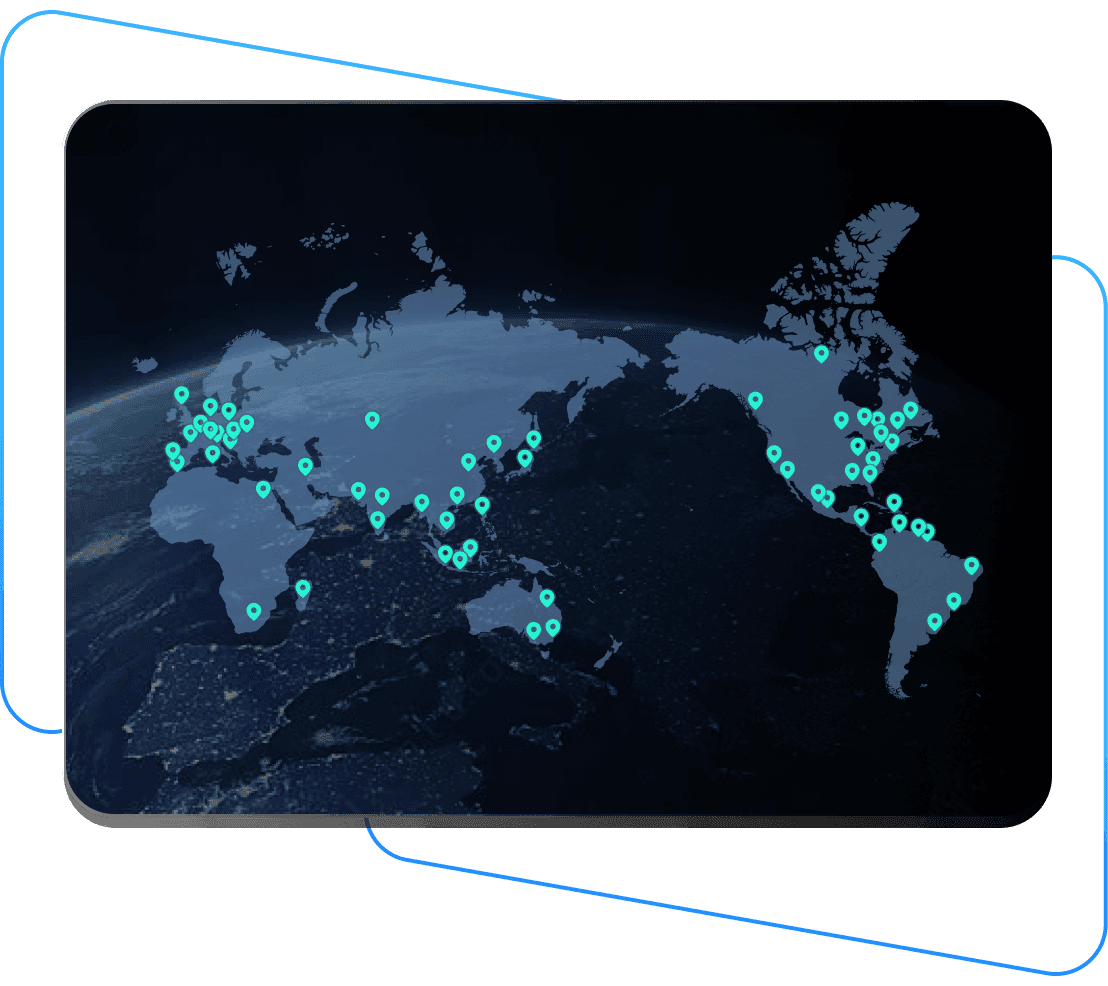
Super Cepat
Komunikasi Real-Time 200+ Jaringan Global
Fleksibel
Frame Rate Tinggi
Level Keamanan Perbankan
Latensi Rendah
Efisien
Super Cepat
Komunikasi Real-Time 200+ Jaringan Global
Fleksibel
Frame Rate Tinggi
Level Keamanan Perbankan
Latensi Rendah
Efisien
Super Cepat
Komunikasi Real-Time 200+ Jaringan Global
Fleksibel
Frame Rate Tinggi
Level Keamanan Perbankan
Latensi Rendah
Efisien
Eksplorasi
MejaDi
Pilih sesuai kebutuhanmu


Trusted by Industry Experts
Apa yang Dikatakan Pengguna Kami

”
Althamas Karani
Best Alternative to Anydesk cheaper than any other Remote App l, excellent UI, many features which are not available in many highly marketing remote apps.
”
QL Jiang
DeskIn is my go-to remote control app! 🌟 Smooth connections, user-friendly interface, and it simply gets the job done. Whether I'm accessing files or managing tasks, DeskIn makes remote work feel like a walk in the park. Highly reliable and efficient. Love it! ⭐⭐⭐⭐⭐
”
Nancy Honorato
The app is very good, I highly recommend it. You can do various things. It is worth noting that it is very reliable in the various permissions that the application requests. So far, so good.
”
Дженк Кара
Hello, I want to express my admiration for the software you’ve developed. I’m extremely impressed with its flawless functionality, stability, and intuitive design. It's evident that a great deal of effort and attention to detail went into creating this product. Thank you for delivering such a high-quality solution!
”
捏馥
用了好一陣子才來評價,連線速度穩定又快很少延遲,推薦大家使用
”
楊暟宸
這個軟體提供了很快速的連線速度,讓我免費版也可以遠端順暢地工作
”
桓兒
事實上我很少給App評論的… 但這款真的好用!! 免費版的功能也夠強 真的是太佛了😊 套用蔡旻佑的歌「我想要說」 副歌: 我想要說~ 我想要說喔喔~ 如果沒有了你 我該如何往~下走❤️
”
SosialHits
best remote desktop app so far, user friendly and fast like chrome remote desktop but better in features.
”
Adrian Gruber
Super user friendly app! Very easy to use and also with high file transfer speed between devices!
”
Hassle free AF
Was in a rush to access my home com and this app came in pretty handy every time. Didnt expect the seemingly seamless connection and smooth interface. Pretty easy to use also. Will recommend to anyone~
”
wongpowen
在使用過所謂老牌/最多IT工程師的遠程軟體之後,最後還是使用DESKIN,真正的最流暢,就算只用基礎版,也可以輕鬆實現即時操作遠程電腦。
”
Althamas Karani
Best Alternative to Anydesk cheaper than any other Remote App l, excellent UI, many features which are not available in many highly marketing remote apps.
”
清晨的卡布奇諾
滿好用的 主機在台北學校的宿舍 回中壢時還能連線使用 目前用了一年都沒問題(已使用兩年)
”
Althamas Karani
Best Alternative to Anydesk cheaper than any other Remote App l, excellent UI, many features which are not available in many highly marketing remote apps.
”
QL Jiang
DeskIn is my go-to remote control app! 🌟 Smooth connections, user-friendly interface, and it simply gets the job done. Whether I'm accessing files or managing tasks, DeskIn makes remote work feel like a walk in the park. Highly reliable and efficient. Love it! ⭐⭐⭐⭐⭐
”
Nancy Honorato
The app is very good, I highly recommend it. You can do various things. It is worth noting that it is very reliable in the various permissions that the application requests. So far, so good.
”
Дженк Кара
Hello, I want to express my admiration for the software you’ve developed. I’m extremely impressed with its flawless functionality, stability, and intuitive design. It's evident that a great deal of effort and attention to detail went into creating this product. Thank you for delivering such a high-quality solution!
”
捏馥
用了好一陣子才來評價,連線速度穩定又快很少延遲,推薦大家使用
”
楊暟宸
這個軟體提供了很快速的連線速度,讓我免費版也可以遠端順暢地工作
”
桓兒
事實上我很少給App評論的… 但這款真的好用!! 免費版的功能也夠強 真的是太佛了😊 套用蔡旻佑的歌「我想要說」 副歌: 我想要說~ 我想要說喔喔~ 如果沒有了你 我該如何往~下走❤️
”
SosialHits
best remote desktop app so far, user friendly and fast like chrome remote desktop but better in features.
”
Adrian Gruber
Super user friendly app! Very easy to use and also with high file transfer speed between devices!
”
Hassle free AF
Was in a rush to access my home com and this app came in pretty handy every time. Didnt expect the seemingly seamless connection and smooth interface. Pretty easy to use also. Will recommend to anyone~
”
wongpowen
在使用過所謂老牌/最多IT工程師的遠程軟體之後,最後還是使用DESKIN,真正的最流暢,就算只用基礎版,也可以輕鬆實現即時操作遠程電腦。
”
Althamas Karani
Best Alternative to Anydesk cheaper than any other Remote App l, excellent UI, many features which are not available in many highly marketing remote apps.
”
清晨的卡布奇諾
滿好用的 主機在台北學校的宿舍 回中壢時還能連線使用 目前用了一年都沒問題(已使用兩年)
Jangan ketinggalan.


Lebih Lanjut
Informasi
Hubungi Kami
Email: support@deskin.io
Office: 991D Alexandra Road #02-17, Singapore 119972
Copyright © 2026 Zuler Technology PTE. LTD. All rights reserved.
Hubungi Kami
Email: support@deskin.io
Office: 991D Alexandra Road #02-17, Singapore 119972
Lebih Lanjut
Informasi
Copyright © 2026 Zuler Technology PTE. LTD. All rights reserved.
Lebih Lanjut
Informasi
Hubungi Kami
support@deskin.io
991D Alexandra Road #02-17
Singapore 119972
Copyright © 2026 Zuler Technology PTE. LTD. All rights reserved.
Lebih Lanjut
Informasi
Hubungi Kami
Email: support@deskin.io
Office: 991D Alexandra Road #02-17, Singapore 119972
Copyright © 2026 Zuler Technology PTE. LTD. All rights reserved.
【New User Special Offer】
Save
Extra 20%
on your first order|4K60FPS
【New User Special Offer】
Save
Extra 20%
on first order
Extra
20% Off
|For
New Users