

Play Anywhere with Smooth Remote Game Performance.
Built for every gamer, DeskIn delivers stunning clarity and speed for peak performance and seamless play on the go.
Available for:


Play Anywhere with Smooth Remote Game Performance.
Built for every gamer, DeskIn delivers stunning clarity and speed for peak performance and seamless play on the go.
Available for:
Play Anywhere with Smooth Remote Game Performance.
Built for every gamer, DeskIn delivers stunning clarity and speed for peak performance and seamless play on the go.
Available for:
High Quality Remote Gaming

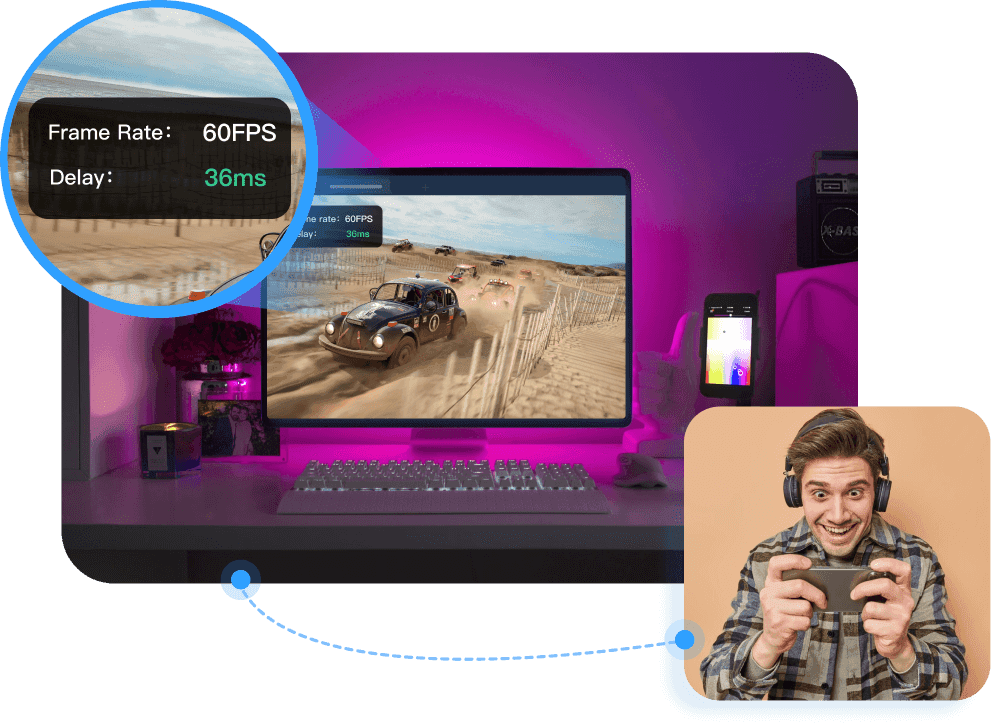
≤40ms Latency
Experience Smooth & Stable Performance
≤40ms Latency
Experience Smooth & Stable Performance
≤40ms Latency
Experience Smooth & Stable Performance
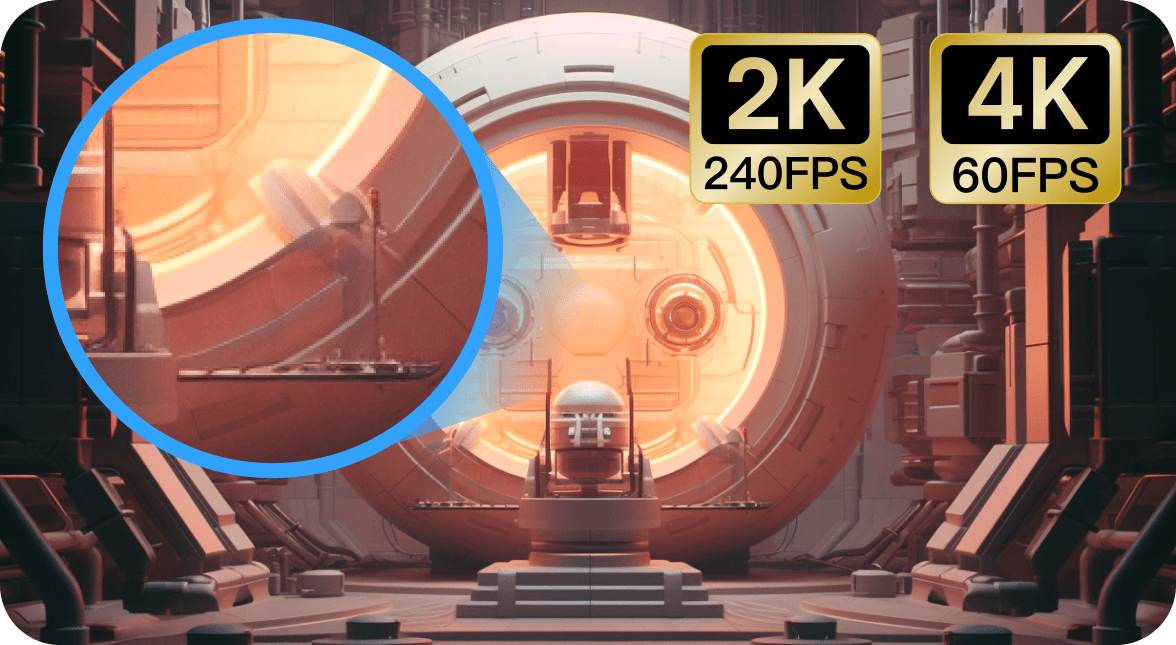
4K60FPS / 2K240FPS
High-Quality & Responsive Display
4K60FPS / 2K240FPS
High-Quality & Responsive Display
4K60FPS / 2K240FPS
High-Quality & Responsive Display

Game Anytime
Play AAA games in full quality on the go
Game Anytime
Play AAA games in full quality on the go
Game Anytime
Play AAA games in full quality on the go
Play PC Games on Mobile
Exclusive gaming keyboard and shortcuts, optimized for touchscreen gaming on your smartphone, tablet, or iPad
Multiple keys combined into one

Drag the button position freely

Customize button size

Freely set long press/short press


Multiple keys combined into one
Drag the button position freely
Customize button size
Freely set long press/short press
Multiple keys combined into one
Drag the button position freely
Customize button size
Freely set long press/short press

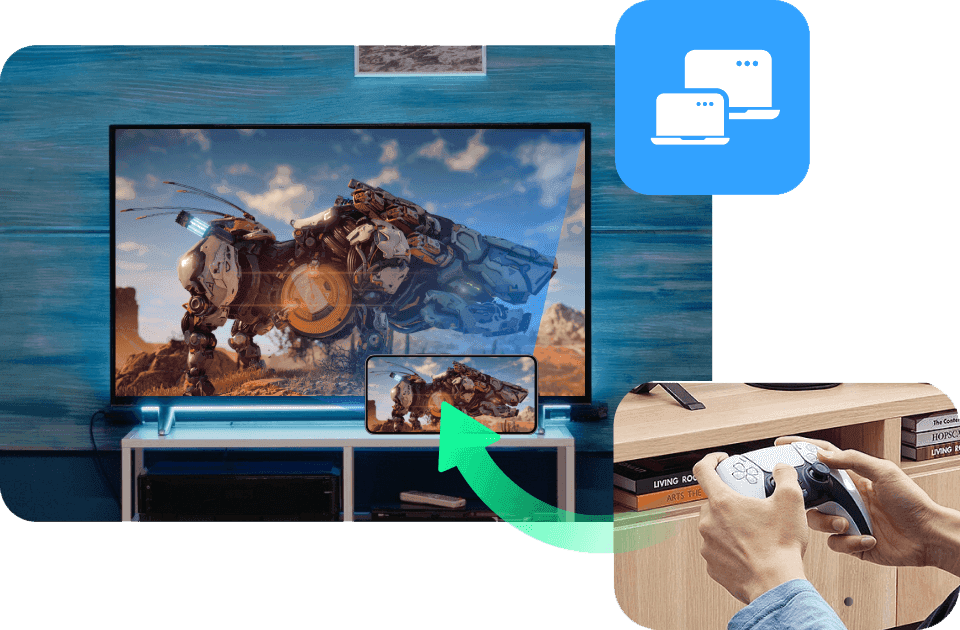
Mirror Mobile Game to PC
Connect phone with gaming controller, project your mobile game content to PC screen wirelessly. Bigger screen, better gaming experience.

Mirror Mobile Game to PC
Connect phone with gaming controller, project your mobile game content to PC screen wirelessly. Bigger screen, better gaming experience.
Mirror Mobile Game to PC
Connect phone with gaming controller, project your mobile game content to PC screen wirelessly. Bigger screen, better gaming experience.
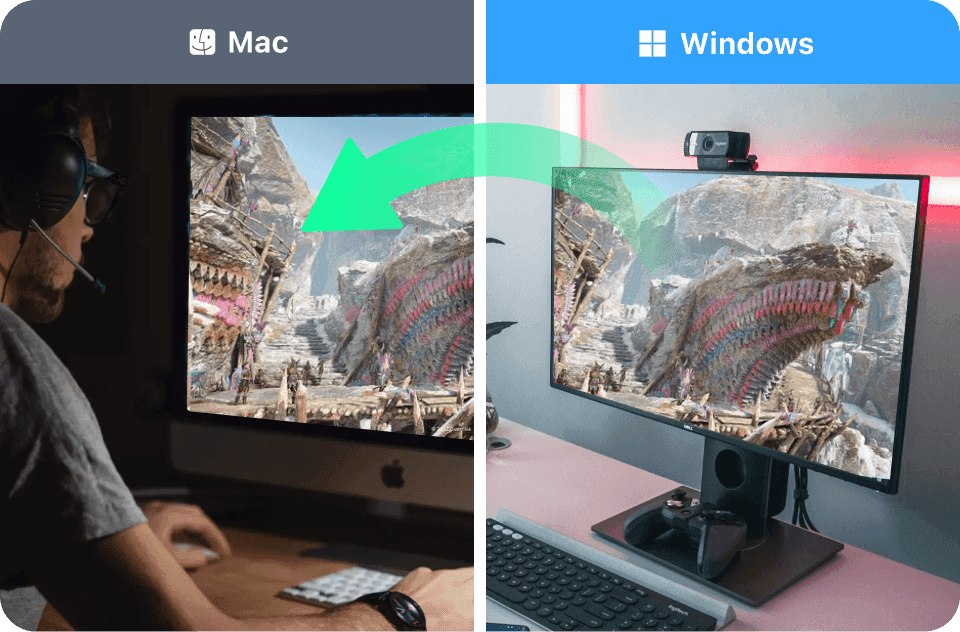
Play Windows Games on Mac
Perfectly map your PC keyboard to your Mac and play PC games without Windows.
Play Windows Games on a Mac
Perfectly map your PC keyboard to your Mac and play PC games without Windows.
Play Windows Games on a Mac
Perfectly map your PC keyboard to your Mac and play PC games without Windows.

Extend Your Game Screen
Use your Mac/iPad as a second screen for your gaming PC—play in full screen and extend Discord to chat with players.
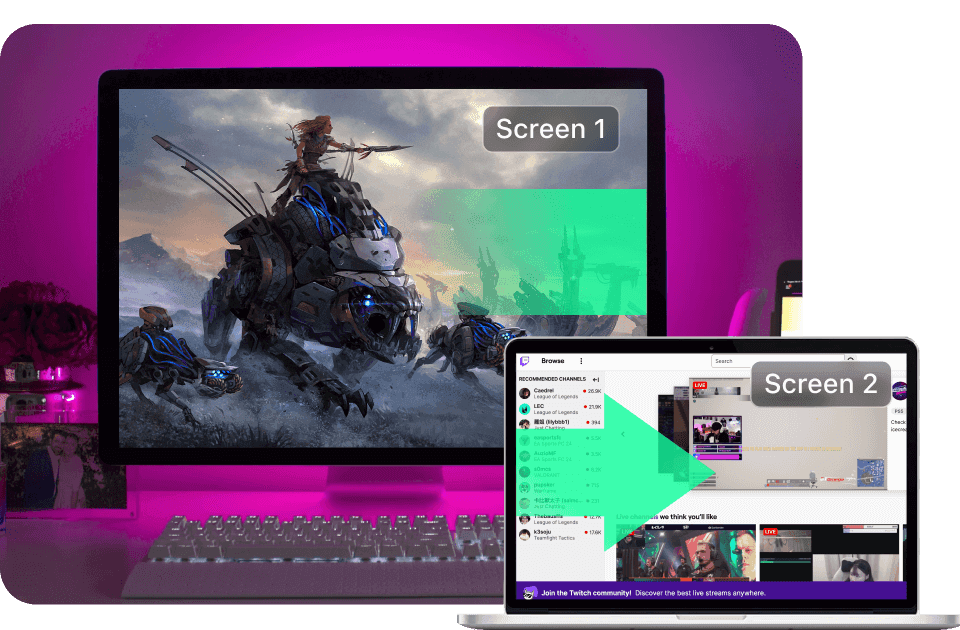
Extend Your Game Screen
Turn your mac/iPad as second screen of your gaming PC. Play game on PC in full-screen mode, extend Discord chatbox to mac/iPad to chat with other players.
Extend Your Game Screen
Turn your mac/iPad as second screen of your gaming PC. Play game on PC in full-screen mode, extend Discord chatbox to mac/iPad to chat with other players.
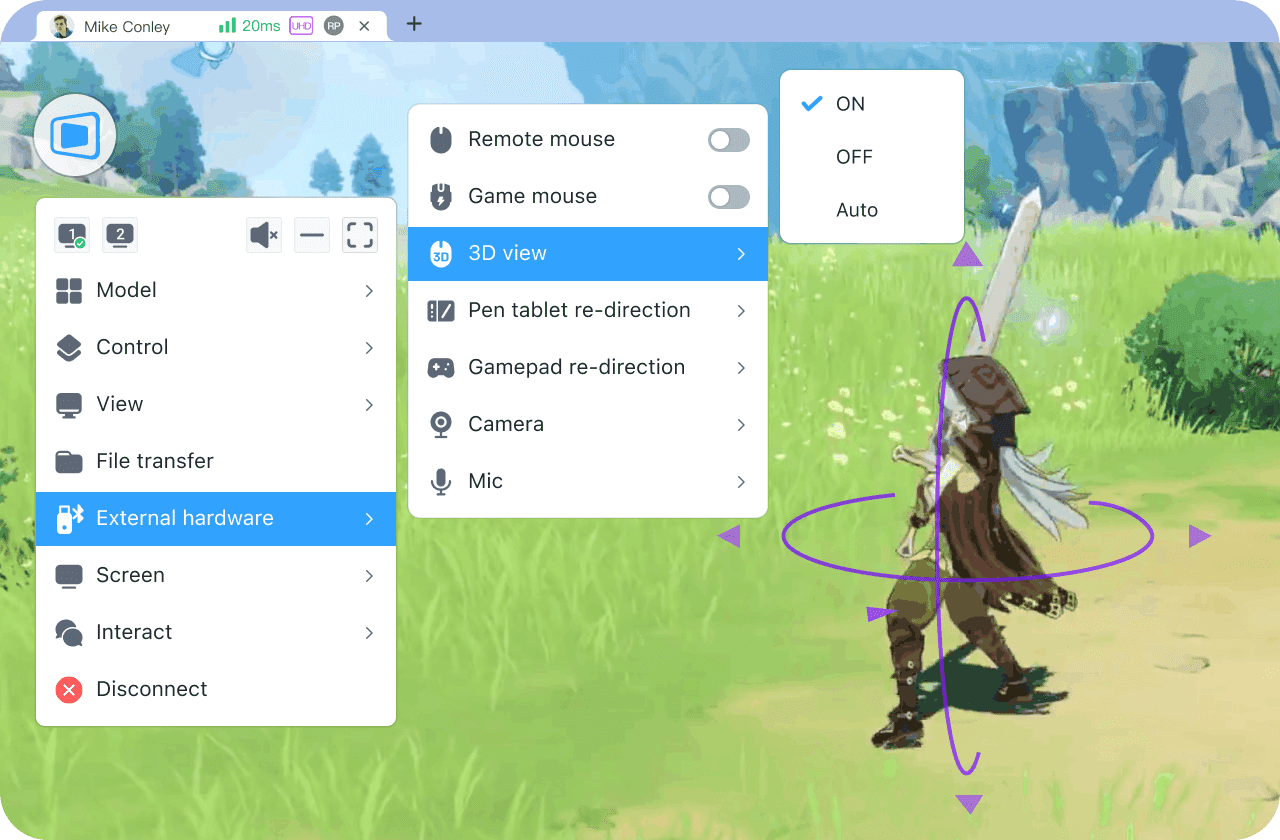
Immersive Auto 3D Game View
Automatically switch to 3D game view during remote access in all First-Person Perspective (FPP) and Third-Person Perspective (TPP) games, delivering a local gaming experience.
Immersive Auto 3D Game View
Automatically switch to 3D game view during remote access in all First-Person Perspective (FPP) and Third-Person Perspective (TPP) games, delivering a local gaming experience.
240 FPS System
Configuration Requirements
Remote Device:
NVIDIA GeForce RTX 4070
Local Device:
Intel Arc A770M, NVIDIA GeForce RTX 3060Ti
Ram size:
8G or above
Broadband:
Upload speeds up to 10Mbps
Monitors:
The refresh rate of the local and remote screens needs to be 240Hz or above
240 FPS System
Configuration Requirements
Remote Device:
NVIDIA GeForce RTX 4070
Local Device:
Intel Arc A770M, NVIDIA GeForce RTX 3060Ti
Ram size:
8G or above
Broadband:
Upload speeds up to 10Mbps
Monitors:
The refresh rate of the local and remote screens needs to be 240Hz or above
240 FPS System
Configuration Requirements
Remote Device:
NVIDIA GeForce RTX 4070
Local Device:
Intel Arc A770M, NVIDIA GeForce RTX 3060Ti
Ram size:
8G or above
Broadband:
Upload speeds up to 10Mbps
Monitors:
The refresh rate of the local and remote screens needs to be 240Hz or above
Recommended
Plan
$23.3
USD
monthly subscription or $129.9/year
Gaming

Root-free Android Control
$8.9 monthly

Recommended
Plan
$23.3
USD
monthly subscription or $129.9/year
Gaming
Root-free Android Control
$8.9 monthly
Remote Gaming FAQs
Remote Gaming FAQs
1. Can you really play PC games remotely without noticeable lag?
1. Can you really play PC games remotely without noticeable lag?
1. Can you really play PC games remotely without noticeable lag?
1. Is DeskIn secure enough for remote IT support and customer support?
Yes. With optimized transmission and nearby nodes, DeskIn supports low-latency remote gaming with end-to-end latency as low as 40ms in good network conditions, making real-time gameplay practical.
Yes. With optimized transmission and nearby nodes, DeskIn supports low-latency remote gaming with end-to-end latency as low as 40ms in good network conditions, making real-time gameplay practical.
Yes. DeskIn is built as a secure remote support software using 256-bit AES end-to-end encryption and is built in alignment with ISO 27001 security standards, for all remote desktop support sessions. Combined with Privacy Screen Mode and session-based access control, it ensures remote IT support and customer support sessions remain private and secure.
2. Will remote gaming affect image quality or visual clarity?
2. Can I provide remote support if the user is not present or the device is in sleep mode?
DeskIn prioritizes visual stability and clarity during remote gaming sessions. With optimized encoding and adaptive streaming, image quality stays sharp and consistent—even during fast motion or visually complex scenes. This includes full support for high resolutions, such as 4K and 2K.
Yes. DeskIn supports unattended remote access and Wake-on-LAN (WoL). As long as the device is powered and connected to the internet, you can remotely wake it and start remote access support without requiring the user to be present.
3. Does DeskIn support high frame rates for gaming?
3. What internet speed is required for smooth remote support sessions?
Yes. DeskIn supports up to 4K 60FPS or 2K 240FPS, allowing players to enjoy smooth motion and responsive gameplay when playing PC games remotely.
DeskIn uses an optimized RTC network with high-speed transmission to keep remote support responsive even on unstable connections. For standard remote tech support, 2 Mbps is sufficient, while 10 Mbps or more is recommended for high-resolution or multi-screen remote desktop support.
4. Can I use a controller, keyboard, or mouse while gaming remotely?
4. Does DeskIn support multi-screen and complex setups during remote support?
Absolutely. DeskIn supports gaming mouse, mechanical keyboards, and controllers, delivering consistent input response for PC gaming remote control across different devices.
Yes. DeskIn allows technicians to view and switch between multiple monitors and use Virtual Screen features, making remote IT support more efficient when troubleshooting complex or multi-display environments.


Products
Download
Resources
Contact Us
Email: support@deskin.io
Office: 991D Alexandra Road #02-17, Singapore 119972
Copyright © 2026 Zuler Technology PTE. LTD. All rights reserved.
Products
Download
Resources
Contact Us
support@deskin.io
991D Alexandra Road #02-17
Singapore 119972
Copyright © 2026 Zuler Technology PTE. LTD. All rights reserved.
Contact Us
Email: support@deskin.io
Office: 991D Alexandra Road #02-17, Singapore 119972
Products
Download
Resources
Copyright © 2026 Zuler Technology PTE. LTD. All rights reserved.