How to switch between dual screens of remote computer?
Managing Screens on a Remote Desktop
During a remote session, you can switch views or view all screens simultaneously usingin the toolbar. For a more immersive experience, you can also open each remote screen in a separate monitor/display.
Switching Between Screens
When the controlled computer has multiple screens, you can switch screens in the toolbar of the remote window, as shown below:
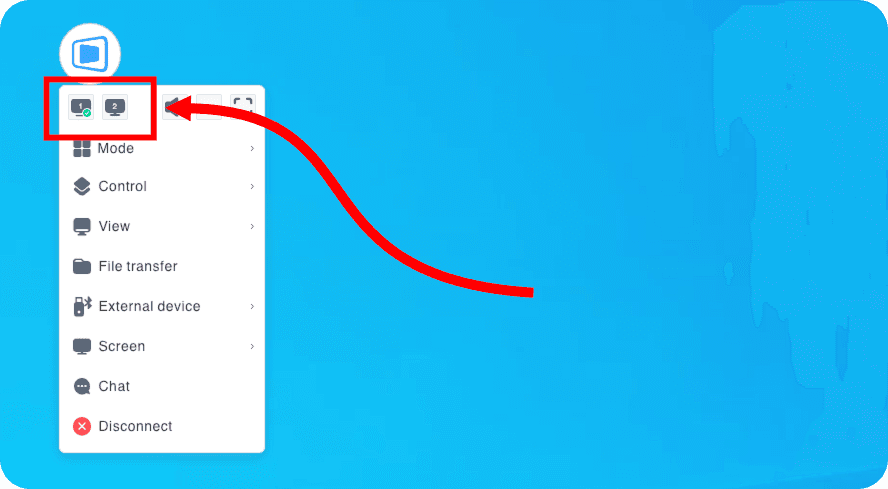
Simply click the Screen icon to cycle between Screen 1 and Screen 2.


